Ewon by HMS Networks Network Licensing dongle in virtual environments
Abstract
Check out this article and learn how to use the Network Licensing dongle in virtual envionments.
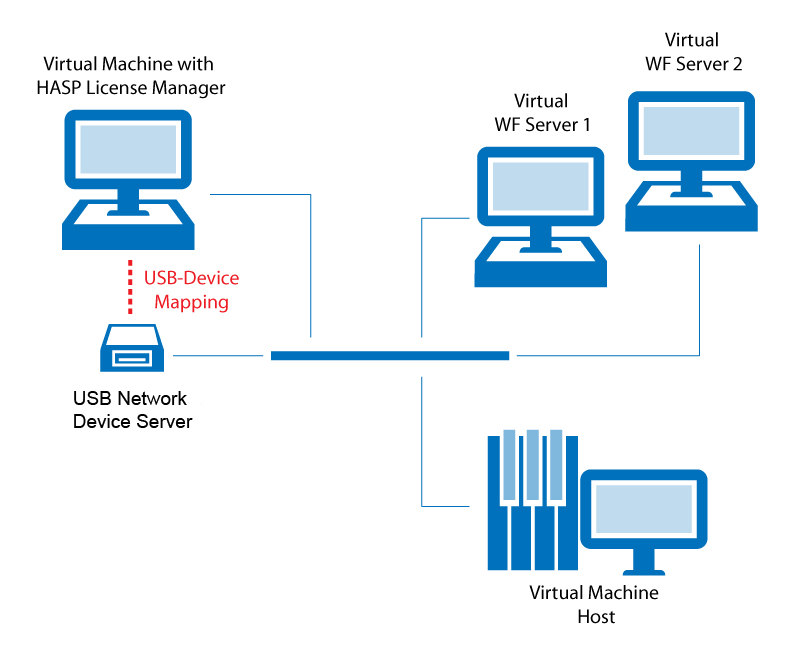
For using the Ewon by HMS Networks Network Licensing over multiple virtual or physical machines, the following steps need to be performed:
Install the HASP License Manager - The HASP License Manager can be found on the Ewon by HMS Networks CD-ROM > Tools > Hasp License Manager > lmsetup.exe. Install this software on any virtual or physical PC.
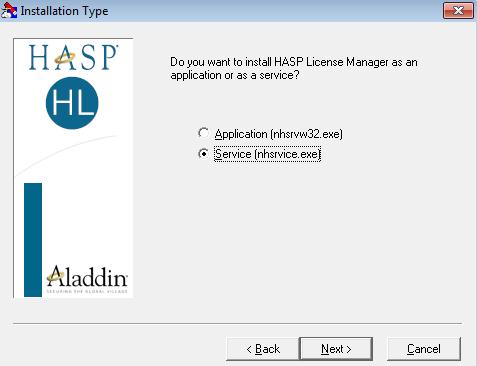
Installing the HASP License Manager as a Service
Attach and install a USB Network Device Server - Install a USB Network Device Server and all the necessary drivers.
Connect the Ewon by HMS Networks license dongle to the USB Network Device Server.